


Pinned Posts

Updated: Jun 9
What Is A Pinned Post?
A "pinned post" is a post which is selected to always remain at the top of your profile, despite newer content being posted after it. It's the digital version of "let's put a pin in that" and pushing a thumbtack into your bulletin board.
This is helpful for small businesses because it allows the most important items to stay top-of-mind (literally), and new viewers can quickly find the bullet points of your elevator pitch.
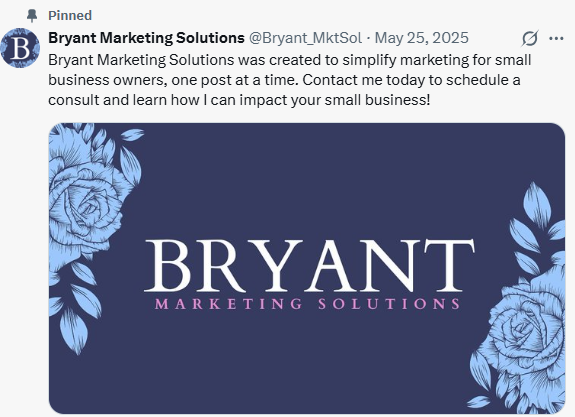
Pinned posts are identified by a thumbtack icon at the top of the post.
My Suggestions For Which Posts To Pin
Here are my suggestions for the pinned posts every profile should have:
"About The Business"
"Services Overview"
"About You" (Pinned as 3rd option on IG only)

About The Business
Photo: Graphic of your logo design
Caption Description: A quick summary of all 5 W's
Why does this business exist? - to simplify marketing
What is your mission statement? - to simplify marketing for sbo, one post at a time
When are you available? - now
Where are you located? - MontCo
Who do you serve? - sbo
Tip: Think of it as your elevator pitch at a networking event.

Services Overview
Photo: Graphic w/ cohesive branding, cover slide w/ carousel (multi-photo post)
Caption Description: A more specific "What"
What products/services do you offer?
Describe in bite-sized portions so the content is comprehensible
+/- the "How much?" (Suggestion: "Starting at...")
Tip: Think of it as your virtual brochure.

About You
Photo: Graphic w/ headshot photo & cohesive branding
Caption Description: A secondary level of "who, why, & what"
Who is the person offering the what, and are they someone I could work with successfully?
Why do you enjoy what you offer?
What is this person's personality?
What is this person like outside of the office?
Tip: There are different approaches to the writing style of an "about" post. If you want to keep it strictly business, think of it as your summary bio on LinkedIn or a shortened resume with a brief list of qualifications. If you want it to be more informal so they can get to know your personality a bit, then think of it as a personal bio while still keeping it professional. There is no right or wrong way of writing it; the right balance will vary depending on how you wish your business to be perceived.


How Pinned Post Formatting Differentiates Between Profiles
As of June 2026, when this blog was posted, the following specifications apply.
You can have a maximum of 3 pinned posts, but the third post usually gets cut off, so I usually suggest only pinning 2 posts on FB.
On FB Desktop, the pinned posts will display side-by-side at the top of the page.
(Note: On Desktop, Pinned are also marked as "Featured" at the top of the profile.)
On FB Mobile, the pinned posts will display stacked like all other posts.

You can have a maximum of three pinned posts, and they will appear the same whether you're viewing on mobile or desktop.
Note: For both FB & IG, you can control which posts are pinned, but you can not control the order in which the pinned posts display. They will automatically display in the order they were originally posted.
X
On X, you can only have 1 pinned post.
On LinkedIn Company Profiles, you can have a maximum of 6 pinned posts ("Featured"), and you can control the order in which they display. Only two display at a time side-by-side.

Pinned posts might seem minute in the grand scheme of a marketing strategy, but in reality, they can prove to be a beneficial component of attracting someone's limited attention and delivering a professional first impression of your business.


Comments